Create a Temporary Email for Instagram | Privacy Simplified
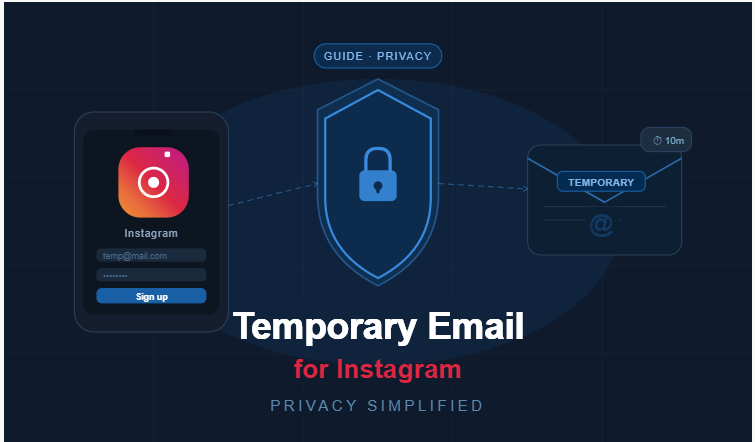
Signing up for Instagram with your personal email sounds harmless, but over time it creates problems you didn't ask for. Promo emails pile up, your data gets stored, and that address stays tied to your account whether you like it or not. There's a much easier way to handle this. Using a temporary email for Instagram means you sign up, get verified, and keep your personal inbox completely out of it. Tempo Mails lets you generate one in seconds — no registration needed, and it works just like a real address for the sign-up process.
Generate Your Instagram Email Now
How to Create a Temporary Email for Instagram (Step-by-Step)
If you've been wondering how to create a temporary email for Instagram, you're going to be surprised at how easy it actually is. No technical knowledge needed, no account to set up, and no long process to sit through. You just open the page, follow a few steps, and you're done.
Here's how it works:
- Step 1: Go to tempomails.com. The generator loads right away and everything you need is already on the page — no digging around required.
- Step 2: Pick your email format. Some people go with a random one, and some like to choose something that feels a bit more familiar. Either way works fine.
- Step 3: Click generate and your disposable email for Instagram verification is created instantly. No waiting, no delays.
- Step 4: Copy the address and paste it into Instagram's sign-up form. If you're trying to create an Instagram account with a burner email, this is the exact step where it all comes together.
- Step 5: Check your temporary inbox for the verification code and enter it. That's it — your account is live and your real email was never involved.
Why Use a Temporary Email for Instagram?
People reach for a disposable email for Instagram for different reasons. Some care about privacy, some need multiple accounts, and some just don't want the platform knowing their real email. All of these are valid, and a temp address solves all of them.
Bypass Verification
Every new Instagram account needs an email to get verified. Using an Instagram temporary email gets that done without handing over your personal address. The code shows up in your temp inbox within seconds and you're good to go.
Privacy Protection
When you use your real email for social media, it gets saved, sometimes shared, and used for targeting you with ads. A burner email for Instagram breaks that chain entirely. You get access to the account and leave no personal trail behind.
Create Multiple Accounts
Running a business page, a fan account, and a personal profile all at once means needing separate emails for each. A temp mail for Instagram makes that easy without creating new Gmail accounts every time.
Top Features of Our Instagram Temporary Email Generator
There are many temp email tools out there, but most of them either stop working after a while or get blocked. Here's what makes Tempo Mails different and more reliable for real Instagram use.
- No sign-up needed: You open the page, generate an address, and use it. No account to create, no personal details to enter, and no waiting. If you want the best temporary email for Instagram, this kind of speed is what you should expect.
- Instagram actually accepts it: A lot of temp email tools get rejected because their domains end up on a blocklist. We test and update our domains regularly, so when you use our tool for Instagram verification, the code actually arrives in your inbox and you can move forward without hitting any errors.
- Clean inbox, no junk: Your temporary inbox only shows emails that were actually sent to it. No clutter to sort through. When you're looking for a secure email for Instagram verification, the last thing you want is to dig through spam just to find a six-digit code — and with our tool you won't have to.
- You choose the format: You're not locked into whatever random string the generator throws at you. You can pick a format that makes sense to you, which is especially useful when managing more than one account.
- Works on other platforms too: Our generator isn't built just for Instagram. If you need a disposable inbox today and then need one for a completely different platform tomorrow, the same tool handles both without anything different on your end.
Something Most People Don't Think About
Not every temp email domain works on Instagram. The platform keeps a blocklist of domains commonly used for fake sign-ups, and if your address uses one of those, the sign-up will fail. This is why the generator you pick actually matters.
Our tool keeps its domain list fresh so you're always getting an address that works without any domain rejection issues.
Also worth knowing: temp emails expire after a few hours. Once the inbox is gone, there's nothing left connecting that address to you. So using a temporary email for Instagram doesn't just protect your privacy during sign-up — it stays private long after.
Get Your Instagram Temp Email Right Now
No reason to overthink it. Go to Tempo Mails, generate your temporary email ID for Instagram, and sign up without using your personal inbox. It's free, it works instantly, and you'll wonder why you didn't do it sooner.
Generate Your Instagram Email Now
Frequently Asked Questions
How to create a temporary email for Instagram?
Visit tempomails.com, pick a format, and click generate. You can get a disposable email for Instagram in under a minute with zero forms to fill and no account required.
Can I use a temporary email for Instagram?
Yes. A temp mail for Instagram works fine for sign-ups and verification. The platform sends the code to it, you enter it, and your account is live. Your real email stays out of it completely.
How to bypass Instagram email verification?
Use a disposable address when Instagram asks for your email during sign-up. The code shows up in your temp inbox in seconds, and you enter it to finish the verification.
Do fake temporary emails work on Instagram?
They do, as long as the domain isn't on Instagram's blocklist. Our generator uses active domains that the platform accepts, so you won't get an error when you try to sign up.
Why can't I use a temporary email for Instagram?
If your address gets rejected, the domain is most likely flagged. Our tool keeps its domain list updated so you can always receive email for Instagram without running into that issue.
How to verify Instagram without personal email?
Generate a secure email for Instagram verification from our site, use it during sign-up, and enter the code you receive in your temp inbox. Your personal email never needs to be involved.
How to create an Instagram account with a temporary email?
Open Instagram, start the sign-up, and paste in the address you generated. The platform sends a code to that temporary inbox, you enter it, and your account is created. That's the whole process.
How to receive Instagram verification code online?
Once you enter your temp address on Instagram's sign-up page, the code gets sent there right away. Open your temporary inbox on our site, find the code, and enter it on Instagram. No waiting, no issues.
Explore more: Home | About Us | Blog | Privacy Policy | Contact Us