Create a Disposable Email for Twitter | Privacy Simplified
You're about to create a Twitter account, and right there in the form it asks for your email. You pause. Do you really want to hand that over? Maybe you're setting up an alt profile, testing something, or just trying to keep your main inbox clean. That hesitation makes sense.
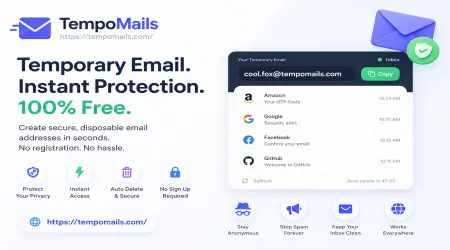
A disposable email for Twitter gives you a simple way to sign up without using your personal address. Tempo Mails lets you create a temporary email address in seconds and receive verification messages right away. It keeps your real inbox hidden, reduces spam, and helps you stay organized without any extra effort.
How to Create a Disposable Email for Twitter (Step-by-Step)
This doesn't require you to be tech-savvy. It really only takes a minute or two and is really simple. Here's how to create a disposable email for Twitter using our Twitter fake email generator:
- Step 1: Open Tempo Mails in your browser. The generator loads right away, no login or account setup required.
- Step 2: Enter a username you want, or skip it and let the tool pick one randomly. Then choose a domain from the list. If the first one doesn't feel right, just swap it for another.
- Step 3: Click generate. Your inbox is created on the spot and starts receiving emails within seconds of being active.
- Step 4: Copy the address and paste it into the sign-up form. This is how you bypass Twitter email verification without touching your real inbox.
- Step 5: Head back to your temporary inbox and wait for the verification email to land. Click the link or copy the code, and your account is verified. That's the whole process.
Why Use a Disposable Email for Twitter?
There are a few different reasons people reach for a disposable email for Twitter, and most of them are completely practical:
Bypass Verification
Every Twitter account needs a verified email before it goes live. Handing over your personal address means it gets stored on a platform you may not fully trust. A twitter burner email gets you through that step cleanly. The platform sees a working address, sends the confirmation, and you're done — without your real details in the picture.
Privacy Protection
Your email is more tied to your identity than it might seem. Sign up somewhere with it and it can end up used for ads or exposed in a breach. Temporary emails for Twitter cut that risk off entirely. Your personal inbox stays yours, and the site only ever sees a throwaway address.
Create Alt Accounts
Each Twitter account needs its own unique email. If you're managing a few — especially something like a burner email for Twitter stan account that you want completely separate from your main profile — making new Gmail accounts every time is a real hassle. A quick temp mail address solves that in seconds.
Top Features of Our Twitter Disposable Email Generator
There are a lot of temp mail services out there, but most of them run into the same issue: Twitter has already blocked their domains. Our twitter disposable email generator is built to actually work. Here's what makes it different:
- Instant Email Creation: As soon as you make your Twitter temporary email address, it is active. There's no wait, no email confirmation loop, and nothing to download.
- Secure and Private: Messages in your temporary mailbox aren't stored or shared. Once you're done, everything disappears. It's a genuinely secure email for X verification with no trace left behind.
- Customizable Address Format: You pick the username. You pick the domain. The address works the way you want it to, not just whatever the system spits out automatically.
- Works Across Platforms: Twitter is the main focus here, but the same address works anywhere that needs a quick email verification. One tool, a lot of use cases.
- No Sign-Up Required: You don't need to create an account to use the generator. Open the page, grab your address, and go.
What to Do When Twitter Says Your Email Is Invalid
This trips people up more than anything else. Twitter keeps a list of known temporary email domains and blocks them during sign-up. If you've been looking for a working temp mail for Twitter and keep hitting that "invalid email" wall, the domain you're using has almost certainly been flagged.
Our twitter disposable email generator rotates domains regularly, so you're always getting one that's currently unblocked. If a rejection still happens, just generate a new address with a different domain. It takes ten seconds and fixes the problem immediately.
How to Get a Twitter Verification Code Online
Once you've entered your temp address during sign-up, Twitter sends either a code or a link to that inbox. To get Twitter verification code online or receive X verification link online, just open your temporary inbox, find the message, and grab what you need. If you used our twitter alt account email generator, the code lands in the same inbox you created. No switching between accounts, no extra steps.
Ready to Create Your Twitter Email?
If you've been holding off on a Twitter account because you didn't want to use your real email, this fixes it. Head to Tempo Mails, grab a working twitter burner email, and you're through sign-up in under two minutes. No forms, no payment, no personal details at any point.
Generate Your Twitter Email Now — It's Free
Frequently Asked Questions
How to create a disposable email for Twitter?
Visit tempomails.com and use the generator to get your disposable email for Twitter instantly. Choose a username and domain, and your temporary inbox is ready to receive the verification email right away. No registration required.
Can I use a fake email for Twitter registration?
Yes. A fake email for Twitter from Tempo Mails gives the platform a real working inbox to send the verification to, so the sign-up completes the same as it would with a permanent email. Your personal address never gets involved.
How to bypass Twitter email verification?
Use our twitter disposable email generator to get a temp address, enter it during sign-up, then check your inbox for the code. That's all it takes to bypass Twitter email verification without using anything tied to your identity.
Does temp mail work for Twitter (X)?
It depends on the service. Many twitter temp mail providers have their domains blocked. Our generator uses updated, unblocked domains so the addresses actually go through during sign-up instead of getting rejected right away.
Why does Twitter say my email is invalid?
The platform blocks known temp email domains. If yours is getting rejected, just go back and generate a new address using a different domain from our unblocked temp mail for Twitter options. It usually clears up on the first retry.
How to verify Twitter without personal email?
Generate a temporary inbox for Twitter sign up using our tool, use it during registration, and receive the verification link directly there. Your real email is never part of the process.
How to make a Twitter alt account anonymously?
Get a fresh temp address for each alt account. None of them link back to your identity, so the accounts stay genuinely separate. Our twitter alt account email generator gives you a new working inbox each time, with no reuse across accounts.
How to receive a Twitter verification link online?
Enter your twitter temporary email address during sign-up. The platform sends the verification link straight to that temporary inbox. Find the message, click the link, and your account is active.
Explore more: Home | About Us | Blog | Privacy Policy | Contact Us