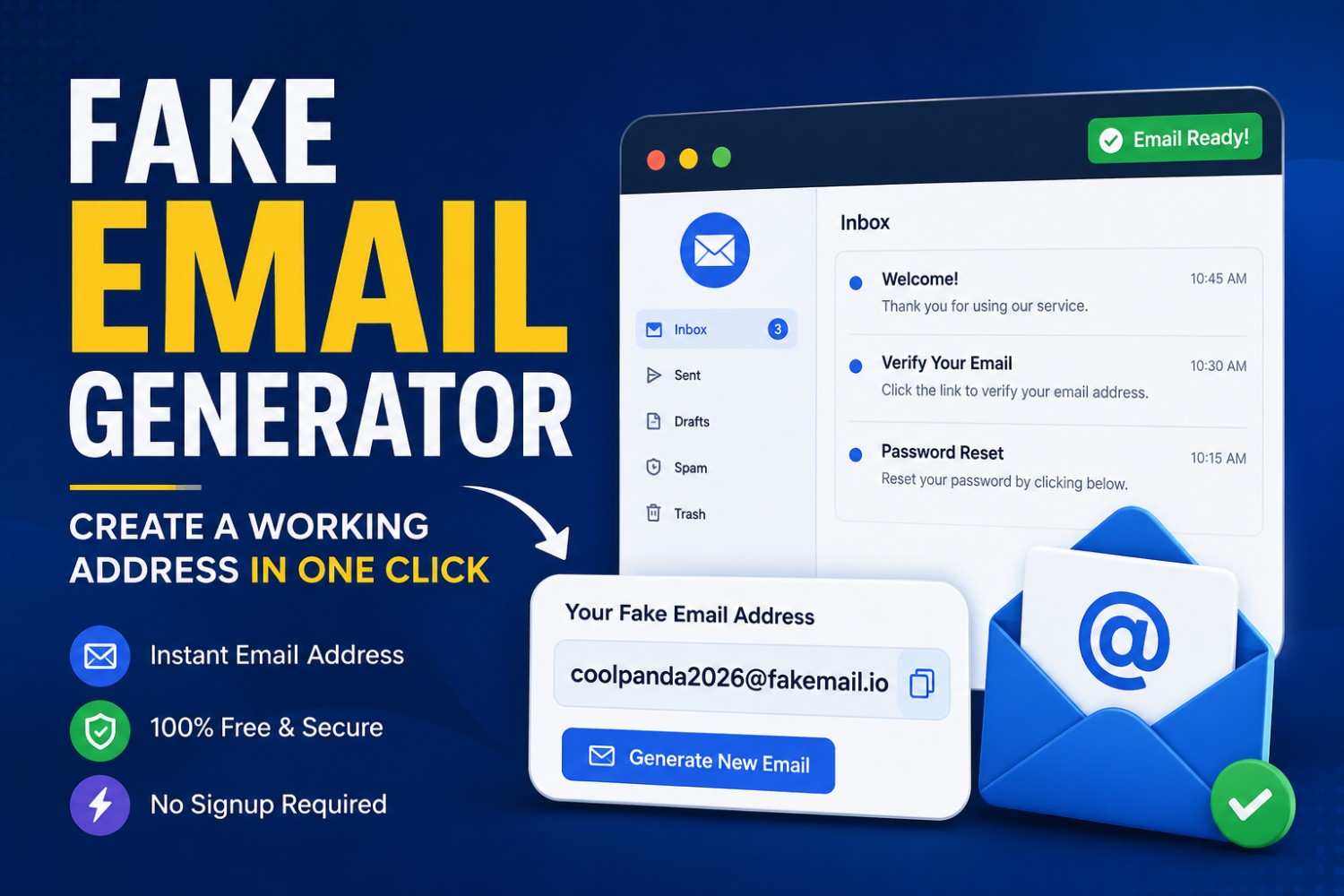
Fake Email Generator: Create a Working Address in One Click
Quick Answer: A fake email generator lets you create a temporary, working email address without providing personal information or signing up. It automatically deletes itself after use and blocks spam and data harvesting from your main email, all without ever asking for a real one. It's the quickest way to register for a site, trial, or download without giving out your true name or contact details to third parties.
Written by Ayesha Raza, Senior Privacy & Cybersecurity Writer. Reviewed by the Tempomail Editorial Team, experts in online privacy tools, disposable email services, and digital identity protection. This guide is reviewed regularly to keep it aligned with current privacy standards and user needs. Last Updated: July 2026
Whenever you use your true email address at an unknown website, you are risking your privacy. Register for a trial, and your inbox soon fills with mountains of promotional emails for months.
Download a free resource, and companies often sell your contact details to marketing lists you never agreed to join. A fake email generator solves this problem before it starts.
A 2025 Statista Digital Privacy Report found that 68% of internet users have found direct consequences from signing up for a free online service as a result of receiving unwanted marketing emails.
The latest NordVPN Consumer Privacy Survey revealed that 54% of people search for methods to prevent providing their genuine email to unfamiliar sites.
Both are solved with Tempomail: the first by offering a temporary email generator that generates a working email address in seconds, and the second by not asking for personal data to use the generator.
Key Takeaways
- No registration needed: A fake email generator creates a working address in one click with zero personal information required.
- Spam protection: Your real inbox stays clean because all unwanted messages go to a throwaway inbox that you never need to manage.
- Privacy by design: A fake email address cannot be traced back to your identity, protecting you from data brokers and marketing lists.
- Instant and free: Tempomail generates a temporary email account in seconds at no cost, with no account setup required.
What Is a Fake Email Generator?
A fake email generator is a program that creates a "real" temporary e-mail address every time it is configured to do so. The address is valid because it is capable of receiving emails, verification codes and attachments.
It requires no account disconnection and no password to manage — it simply stays active for a limited, built-in lifetime before expiring automatically.
The key distinction from a regular email account is permanence. A standard email address is a long-term identity tied to your name, phone number, and often your payment history.
A disposable inbox created through Tempomail has none of those ties. It exists only long enough to serve its purpose, then disappears without leaving a data trail.
How Tempomail Fake Email Generator Works
Tempomail generates a fake email the moment you open the tool — no registration form, no passwords, and no phone verification required. The address is created instantly, and the disposable inbox is ready to receive messages within seconds.
Here is the full process:
- Open Tempomail, and a unique fake email address is generated automatically
- Copy the address and use it on any website that requires email registration
- Return to Tempomail to check your throwaway inbox for the confirmation or verification email
- Complete the signup or download using the code or link in the message
- Walk away, the temporary email account expires automatically and takes any future spam with it
The entire process takes under a minute, with no lengthy back-and-forth and no waiting for a welcome email that never arrives. You can even check your throwaway inbox in real time to watch confirmation messages land the second they're sent.
When Should You Use a Fake Email Address? Common Use Cases
Signing Up for Free Trials
Most free trials require an email address to activate access. Once the trial ends, the marketing emails rarely do. A fake email gives you access to the trial without giving the company a channel to contact you afterwards. When the trial expires, so does the address. This same approach works well when you want to skip Amazon's OTP verification with a temporary email during a quick signup or checkout.
Downloading Gated Content
White papers, templates, eBooks, and software downloads routinely sit behind a registration wall that exists primarily to collect email addresses. An instant email generator lets you access the content without adding yourself to a marketing database that will follow you for years.
Testing Websites and Apps
With registration flows, onboarding sequences, or email notification systems, developers and QA testers often must create several accounts to test. A disposable email service generates as many email addresses as required and at once, without having to register a new real account for each test. QA teams often set up a Discord account for testing purposes this way, spinning up fresh addresses for every test cycle without extra account overhead.
Protecting Yourself on Unfamiliar Sites
Not all websites you visit are secure in terms of data. A fake email limits your exposure. If the site suffers a data breach or sells its user list, your real inbox and identity are not affected. The throwaway inbox absorbs the risk, so your primary account does not have to. The same logic applies when avoiding data exposure when signing up on Facebook or any other platform that asks for an email before granting access.
Fake Email Generator vs. Creating a Secondary Gmail Account
Many people create a secondary Gmail or Outlook account for spam purposes. It works, but it has real limitations. Secondary accounts still require phone verification, still connect to your Google or Microsoft identity, and still collect spam that you must manage over time.
A fake email from Tempomail requires none of that. There is no setup, no phone number, no ongoing maintenance, and no storage filling with messages you will never read. The temp email account serves its purpose and disappears. A secondary Gmail account becomes another inbox you have to manage indefinitely.
What Can You Receive in a Tempomail Disposable Inbox?
A Tempomail disposable inbox receives standard emails, HTML-formatted messages, and attachments. This includes:
- Email verification codes from websites and apps, such as receiving an Instagram verification code instantly
- Password reset links and activation emails
- Download links and file attachments
- Promotional emails and newsletter confirmations
- Any standard message sent to the fake email address
Messages appear in the throwaway inbox in real time. There is no delay, no filtering, and no manual refresh required on most browsers. The inbox is similar to a regular email inbox, except it is fleeting.
Is a Fake Email Generator Safe to Use?
Yes, for privacy protection. A fake email generator protects the real email from spam and keeps your genuine contact details off of unfamiliar websites.
There are important limits to understand. A throwaway inbox does not provide encryption, so do not use it for sensitive communications.
The address will be temporary and will not need to log in, so anyone who knows the address can see the inbox while it is active.
The purpose of the "Tempomail" service is not to manage accounts over time or for confidential messages, but for low-stakes accounts and anti-spam measures.
Use a fake email for temporary access needs. Use a secure, private email provider for anything that involves sensitive personal or financial information.
Benefits of Using a Fake Email Generator
An instant email generator is one of the simplest, most practical privacy tools available. It has no setup, no cost, and no ongoing management. Each time you use Tempomail rather than your actual email, you are defending your inbox, minimizing your digital footprint, and taking back control of your inbox.
Tempomail creates a working fake email address in one click. That is exactly how it should be.
About Tempomail
This guide was produced by the editorial team at Tempomail, a free, instant fake email generator designed to protect your real inbox from spam, data harvesting, and unwanted marketing. Tempomail creates working disposable email addresses in one click, with no registration and no personal information required.
FAQs
Does a fake email address receive real emails?
Yes. A Tempomail fake email address is fully functional and receives real messages, including verification codes, confirmation links, and attachments, in a live throwaway inbox.
How long does a Tempomail temporary email account last?
Tempomail email accounts expire after a set period, which varies depending on the service tier. After the term of the address, Tempomail deletes the address and all the messages in the throwaway inbox.
Can I use a fake email address to create a social media account?
Many social platforms send a verification code to the email address provided at registration. A Tempomail fake email can receive that code, completing the verification without exposing your real email to the platform.
Is a fake email generator the same as an anonymous email service?
Similar but not identical. A throwaway email solution creates a temporary address for short-term use without account creation. An anonymous email service may offer longer-term addresses with additional privacy features. Tempomail focuses on instant, no-registration, disposable access.
Can websites detect that I am using a disposable inbox?
Some websites maintain lists of known disposable email domains and block them during registration. In that case, if this occurs, the alternative domain names which are not on the common blocklists can be registered normally using the service Tempomail.
Do I need to delete the temporary email account when I am done?
No. Tempomail handles expiry automatically. When the address expires, the throwaway inbox and all messages are deleted without any action required from you.
Is Tempomail free to use?
Yes. The core fake mail generator and throwaway inbox are free with no account registration required. Additional features may be available depending on the current service offering.
What should I avoid sending to a fake email address?
Avoid sending any sensitive, financial, or personal information to a disposable inbox. Because temporary addresses require no login, the inbox is not secure for confidential communications.