How to Use a Temporary Email for Gmail Verification
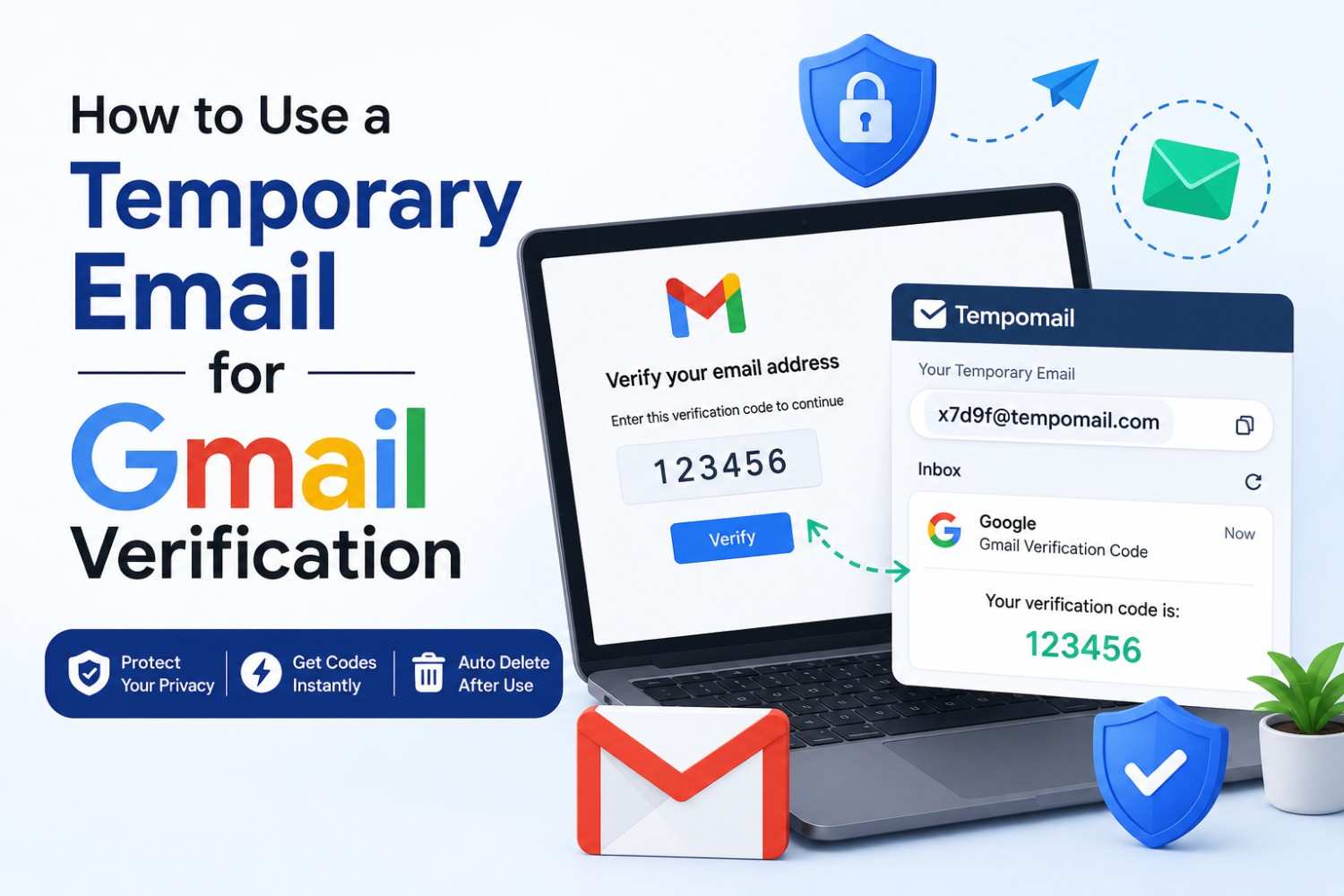
Quick Answer: The advantage of using a temporary email for Gmail verification is that you can create a Google account or use any Gmail-dependent service without risking your own email address. Tempomail creates an email which will receive a Gmail verification email instantly, provide the verification code to you in real-time and delete all messages after you are done with the process. A quick temporary email generator like Tempomail handles this in seconds, with no signup needed.
Written by Sarah Whitfield, Senior Content Specialist covering disposable inbox tools and email privacy solutions. Last Reviewed: July 29, 2026
The Problem With Using Your Real Email for Gmail Verification
Google stores a ton of information for each email address attached to its services. When you use a real email account to sign up for Google, Google associates it with their search, YouTube, maps and advertising services. Some users want access to a Google service without that level of data integration. For them, this creates a privacy concern.
A temporary email for Gmail verification addresses this directly. The address exists long enough to receive the Gmail verification mail, deliver the verification code, and complete the account creation process, then disappears permanently. Switching to a disposable email address for this single step keeps that association from ever being created.
Gmail is one of the most widely used email platforms in the world, and many privacy-conscious users report discomfort with how much personal data becomes tied to a single Google account, even though most feel they have little practical choice but to hand over an email address whenever a service requires verification.
Key Takeaways
- For those who don't have a Google account, a temporary email for Gmail verification gives you a functional email that will receive Google's verification emails.
- The Gmail verification email arrives in a Tempomail inbox within seconds, just like any standard email delivery.
- The temporary address is automatically purged when the email verification code is used.
- There is no account, no password, and no need to give your personal data in the process.
Does Gmail Accept Temporary Email Addresses?
This is the first question most users ask. The answer depends on what the temporary address is being used for and how Gmail's system processes it. Google uses email verification primarily to confirm that a working inbox exists at the submitted address. Any reliable tool that lets you generate a temporary email address in seconds will satisfy this check.
Tempomail addresses satisfy this requirement; they are real, functional inboxes that receive messages. The Gmail verification is delivered, and the verification code inside it is fully usable.
However, you cannot use a temporary address as a Gmail inbox. Gmail requires its own account for access.
Use a Tempomail address as the recovery or contact email during Gmail account creation. You can also verify Google services that send confirmation emails to an external address.
For those specific purposes, Tempomail works reliably.
Step-by-Step: Gmail Verification With a Temporary Email
Temporary email for Gmail verification is the practice of using a session-based disposable address to receive Google's confirmation messages during account creation or service verification, without linking the process to a permanent personal inbox.
- Open Tempomail first. Before starting any Google signup process, generate your temporary email address so it is ready to paste immediately. The address appears the moment the page loads.
- Start the Gmail or Google account creation process. Navigate to the relevant Google signup page. When the form asks for an email address, either as the account address or as a recovery email, paste the Tempomail address into that field.
- Submit the form and switch back to Tempomail. The Gmail verification typically arrives within ten to thirty seconds. The inbox refreshes automatically, so no page reload is needed.
- Locate and copy the email verification code. Open the message in the Tempomail inbox. The verification code or confirmation link appears in the message body. Copy or click it as required by the Google verification screen.
- Complete the verification on Google's side. Return to the Google tab, enter the email verification code if prompted, or follow the link from the message. Google confirms the address and the account creation or service access proceeds.
- Close Tempomail when done. The temporary Gmail sign-up verification is complete. Closing the Tempomail tab ends the session and permanently deletes the address and all received messages.
Temporary Gmail Signup: What Actually Gets Protected
Temporary Gmail signup is the process of registering or creating a Google account with a temporary email ID, so that the user does not have to enter their permanent email address into any Google account or service that account or its associated data collection.
If you register for a Gmail account with a real email address, Google then correlates that with your activity with Google, your searches, any of your watched videos, your location and Google's advertising profile. Google will keep the email address in its systems even if you delete the account later.
A temporary Gmail signup using Tempomail disconnects this association at the root. The disposable address is not monitored, not recoverable, and not linked to any persistent identity. Once deleted, no thread connects the Google account activity back to the user's real email. A fake email generator works the same way for this purpose, creating an address with no ties to your identity.
Gmail Account Verification for Services Built on Google
Many third-party platforms use Gmail account verification as their login system, the sign-in with Google option that links the entire platform experience to a Google account.
For users who want to use these platforms without creating that link, the process requires either an existing Google account or creating a new one specifically for that service.
Creating a dedicated Google account with a Tempomail recovery address keeps the account functionally isolated. The Gmail verification email confirms the account.
The temporary address disappears. The dedicated account exists without being traceable to the user's primary digital identity.
A large share of consumer apps and platforms now rely on Google sign-in as their primary or only verification method, which is exactly why disposable email tools have become useful for managing identity separation across services. The same temporary-inbox approach works well beyond Gmail. Guides on setting up a Discord account with temp mail, creating a Facebook account using a temporary email, and signing up for Twitter/X with a disposable address walk through the same verification process for those platforms.
When This Approach Has Limits
Tempomail works reliably for receiving a Gmail verification and delivering the email verification code during account creation. Two situations fall outside this scope.
First, Google may request extra verification after account creation, such as a phone number. The email verification step is already complete, but Google treats this as a separate requirement.
Second, do not use a temporary address as the primary inbox for a long-term Gmail account. When the address expires, you lose access to recovery options.
For accounts intended for one-time access or testing, these limits are irrelevant, and this is exactly the scenario where a free temp mail inbox works best. For accounts intended for ongoing use, pairing a temporary address during creation with a more durable recovery option afterwards is the better approach.
About Tempomail
Tempomail provides instant disposable email addresses with no registration required. Generate a working inbox in seconds, receive your Gmail verification email in real time, and protect your privacy with automatic deletion. Visit free temporary email generator to get started.
FAQS
Is a temporary email for Gmail verification legal?
Using a disposable address to receive a one-time verification email is a common privacy practice. That said, Google's terms of service prohibit creating accounts through fraudulent means or to evade its systems, so this approach is best suited to legitimate one-time or testing use rather than mass account creation.
How long does it take to receive the Gmail verification email in Tempomail?
Typically, ten to thirty seconds. Google's sending systems are fast, and Tempomail's inbox refreshes in real time without requiring any user action.
Will Google keep sending emails to the Tempomail address after verification?
Google may attempt to send account-related emails to the address on file. Since the Tempomail address will have expired, those messages simply go undelivered, which is the intended outcome.
Can I use the same Tempomail address for multiple Google verifications?
No. Each Tempomail session generates a unique address usable only during that session. For a second verification, open a fresh Tempomail session and use the newly generated address.
What happens if the email verification code expires before I use it?
Get a new code from the Google verification screen. Return to Tempomail. If the session is still on, the new message will be received. If the session has ended, open a new session and repeat this step from the Gmail account creation step.
Does Tempomail work for Google Workspace verification?
Yes, but only for verifying an external recovery or contact email during setup. Workspace accounts still require an organisation-issued domain address for primary sign-in, which falls outside what a disposable inbox can provide.
Can I use Tempomail on a phone to complete mobile Gmail verification?
Yes. Tempomail runs fully in mobile browsers with no app required. The inbox interface, address display, and message viewing all function identically on mobile and desktop.
Is the email verification code visible in the Tempomail inbox in full?
Yes. The full message body is displayed, including verification codes, clickable links, and any formatting Google includes in its confirmation emails.