
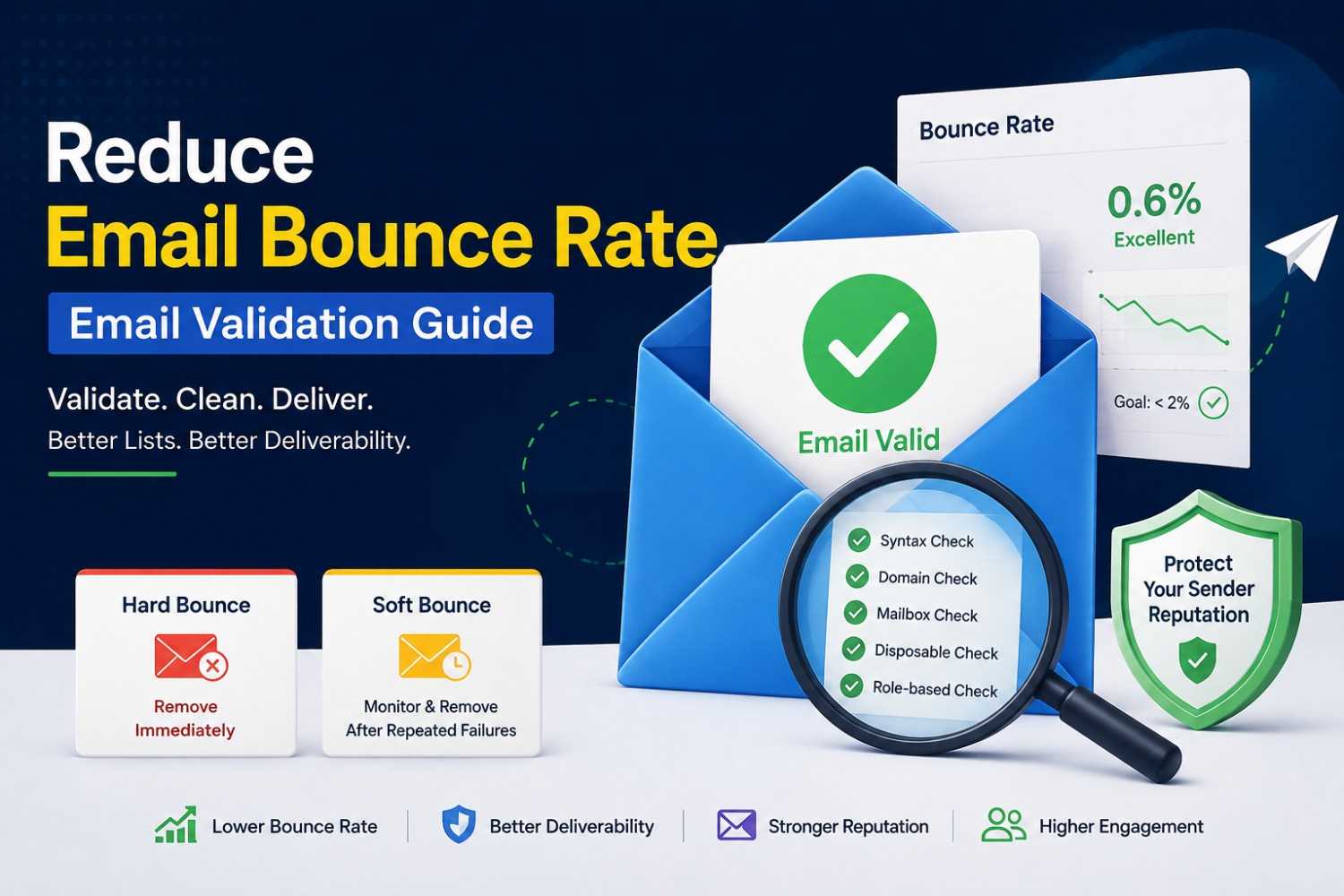
Reduce Email Bounce Rate – Email Validation Guide
Reduce Email Bounce Rate – Email Validation Guide
Quick Answer: To reduce email bounce rate, validate addresses before sending, clean your list regularly, and remove hard bounces immediately after they occur. A bounce rate greater than 2% is a warning sign of a problem with your mail servers' reputation, and maintaining a bounce rate of less than 1% with regular email list maintenance will improve the deliverability of your mail servers and help make sure that they are placed in recipients' inboxes and not in the spam folder.
Most email deliverability problems start with invalid or inactive addresses. Email validation helps identify these addresses before sending.
Main Points
- Reduce email bounce rate below 2% to protect sender reputation. Higher rates can cause mail servers to filter or block messages.
- Remove hard bounces from invalid addresses immediately. Monitor soft bounces from full or unavailable inboxes. Remove them after repeated failures.
- An email verification service identifies invalid, role-based, and disposable addresses. Removing them helps protect sender reputation.
- Email list cleaning requires regular attention. List decay is about 22% per year from addresses changing or becoming inactive.
What Is an Email Bounce and Why Does It Damage Your Reputation?
An email bounce is an email that is not received because it cannot reach its intended recipient. The sending server returns an automated failure notification explaining why.
There are two categories:
- Hard bounces result from failed deliveries. There may be no such address, an incorrect domain, or even the mail server blocking delivery from the sender. Remove these addresses immediately.
- Soft bounce – temporary delivery failure. Either the recipient's inbox is full, the mail server is down, or the size limit has been reached. If there are multiple soft bounces from the same address, these may be issues that clear up on their own, or there may be an issue to investigate.
Mail servers track message bounce rates. A consistently high rate signals poor list maintenance to receiving servers.
The result is filtering, reduced inbox placement, or outright blocking of future messages, not just bounced messages, and this applies to all emails you send.
Data from a 2024 ActiveCampaign deliverability benchmark reveals that rates of hard bounces of 2% or more can lead to reputation flags with big email service providers.
In fact, according to HubSpot's email marketing statistics, those with a bounce rate less than 0.5% have inbox placement rates of more than 95%. The gap between careful and careless list management is measurable and significant.
Why Email Lists Decay Faster Than Most Senders Realise
A common mistake is treating an email list as a static asset. Addresses change, close, and become inactive regularly. Marketing Sherpa research found an average annual decay rate of 22.5%.
This means that even a list that was fully validated 12 months ago has likely accumulated thousands of invalid addresses by now. People change jobs, abandon old accounts, set up new addresses, and let inboxes expire.
This decay is invisible until it becomes a bounce problem. By the time a sender notices declining deliverability, the list may already contain enough invalid addresses to have damaged the sender's reputation across multiple mail providers simultaneously.
How an Email Verification Service Prevents Bounce Problems
An email verification service checks each address in your list before you send. It identifies which addresses are safe to contact and which should be removed.
The Checks A Quality Verification Service Performs Include:
- Syntax validation — confirming the address follows a valid format with no typos, missing characters, or structural errors.
- Domain validation — verifying the domain exists and has functional mail server records (MX records). An address on a domain with no mail server will always bounce.
- Mailbox verification — checking whether the specific mailbox exists at the domain without sending an actual email.
- Disposable address detection — flagging addresses from known temporary inbox services. These addresses expire quickly and generate hard bounces shortly after any opt-in.
- Role-based address detection — identifying addresses like info@, support@, or admin@ that are shared inboxes unlikely to belong to an individual subscriber. These addresses often have high unsubscribe rates and low engagement.
Running your list through this process before each major campaign removes the addresses most likely to generate bounces before they affect your reputation.
Email List Cleaning: What to Remove and When
Email list cleaning is the ongoing process of maintaining a healthy list by removing addresses that do not or cannot receive email effectively.
Remove Immediately:
- Hard bounces from any campaign
- Addresses flagged as invalid by a verification service
- Addresses from domains that no longer exist
- Known spam traps or honeypot addresses
Review And Remove After Repeated Issues:
- Soft bounce addresses that fail across three or more campaigns
- Addresses with zero opens across the last 12 months of campaigns.
- Role-based addresses that show no engagement
- Disposable email addresses that users have not converted to permanent contacts.
Schedule Regular Cleaning:
Run an email verification tool pass on your full list every six months as a minimum. For high-volume senders or lists with significant sign-up volume from web forms, quarterly cleaning is more appropriate.
The Connection Between Validation and Improving Email Deliverability
Reduce email bounce rate, and you automatically improve email deliverability; they are directly connected. Mail servers use bounce rate as a primary input in their sender reputation scoring systems.
When bounce rates drop, the signals those servers receive about your sending behaviour change. Emails that previously landed in spam folders begin reaching the primary inbox.
Open rates rise not because your content improved but because your messages are actually being seen. Click rates follow.
The reverse is also true and moves faster. A single campaign sent to a badly maintained list can spike your bounce rate and shift your reputation score within days.
Recovery from reputation damage at major mail providers takes weeks to months of consistent clean sending before inbox placement returns to normal. Treating email list cleaning as a campaign prerequisite rather than an occasional task prevents this cycle from starting.
How to Use Tempomail's Email Validator
Tempomail provides a free email verification tool at email verification tool. It checks individual addresses instantly for format, domain validity, mailbox status, and disposable address detection with no registration required and no data stored.
For individual address checks:
Paste the address into the validator. Results appear immediately, showing whether the address is safe to send to and flagging any specific concerns: invalid format, bad domain, known disposable service, or role-based inbox.
For list-level validation:
Use the validator as a spot-check tool before campaigns and invest in a bulk validation service for full list passes. The individual validator is ideal for checking new sign-ups in real time as they enter your list.
For ongoing list hygiene:
Combine the validator with your existing bounce reporting. After each campaign, cross-reference hard bounce addresses with your validation results to identify patterns of specific domains failing, unusual concentrations of disposable sign-ups, or batches of addresses with consistent issues.
Building a Bounce Prevention Process
The most effective senders do not treat bounce prevention as a reactive task. They build it into their standard sending workflow.
- At sign-up: Validate addresses as users submit them. Use double opt-in to confirm address validity and subscriber intent. Disposable addresses often fail because the inbox expires before confirmation.
- Before campaigns: Run a verification pass on any segment that has not been emailed in the past three months. Dormant segments accumulate decay at the same rate as active ones.
- After campaigns: Process all bounces within 24 hours. Hard bounces should be removed before any subsequent send. Soft bounces should be flagged for monitoring.
- Quarterly: Run a full list pass through your email verification tool. Remove consistently unengaged contacts who have not opened or clicked across the last 12 months of campaigns and are contributing to list weight without contributing to performance.
Common Validation Mistakes That Keep Bounce Rates High
- Validating once and assuming the list stays clean — list decay is continuous. A validated list from a year ago is not a clean list today.
- Keeping soft bounce addresses indefinitely — soft bounces that persist across three or more campaigns are effectively hard bounces. Remove them.
- Ignoring role-based addresses — shared inboxes generate low engagement and high unsubscribe rates that indirectly affect sender reputation. Clean them.
- Not validating web form inputs in real time — forms that accept any email format allow invalid, mistyped, and disposable addresses to enter the list before any campaign is sent.
Email validation also intersects with data-privacy law: for EU-based subscribers, collecting and verifying addresses falls under GDPR data-minimisation principles that senders should understand before scaling a validation program.
Conclusion
Reducing email bounce rate is not a technical challenge. It is a maintenance discipline. The mechanics are straightforward: validate addresses, remove failures, and repeat on a regular schedule.
The reward for maintaining this discipline is predictable and significant. Inbox placement improves. Metrics become reliable. Sender reputation becomes an asset that supports every campaign you send rather than a liability that undermines them.
An email verification service catches invalid addresses before they damage sender reputation. Starting the process and maintaining it helps support consistent, reliable email deliverability.
About the Author
Written and reviewed by the Tempomail editorial team, who research email deliverability, sender reputation systems, and list hygiene practices across major email marketing platforms. Content reflects current mail server behaviour, industry benchmarks, and validation tool capabilities. The team draws on hands-on testing across enterprise ESPs, SMTP logs, and validation APIs, with this guide reviewed and updated as mail provider policies change.
(FAQs)
1. What bounce rate is considered acceptable for email campaigns?
A hard bounce rate below 1% is the industry standard for a healthy sender reputation. Above 2% signals active reputation damage to most major mail providers.
2. What is the difference between a hard bounce and a soft bounce?
A hard bounce is a permanent delivery error. The address does not exist, or the server permanently rejects delivery. A soft bounce is a temporary failure: full inbox, server down, size limit, may be successful on subsequent sending attempts.
3. How often should I clean my email list?
A minimum of every six months for most senders. High-volume senders or those with significant web form intake should clean quarterly. Always validate before any campaign is sent to a segment dormant for three or more months.
4. Can I validate email addresses without sending a test email?
Yes. A good email verification service validates email addresses through syntax, domain registrations, and the presence of the mailbox at the domain's servers, without actually sending any message to the email address being validated.
5. Does using double opt-in reduce bounce rates?
Yes significantly. The double opt-in procedure involves the confirmation of a recipient's email by visiting a link in the message. Such emails cannot receive confirmation; therefore, the addresses are either incorrect or invalid.
6. Are role-based email addresses worth keeping on a list?
Generally no. Role-based addresses, such as info@ or contact@, are shared emails that have a low level of engagement with low unsubscribe rates, a higher risk of spam complaints, and a higher likelihood of being delivered into other people's inboxes. They add volume without contributing value.
7. How long does it take to recover sender reputation after a high-bounce campaign?
Typically four to eight weeks of consistent clean sending. Some mail providers require longer. Recovery is possible but slower than damage prevention is always more efficient.
8. Can disposable email addresses cause bounce problems?
Yes. Disposable addresses expire within hours or days of being submitted. If those addresses are on your list when you send, they generate hard bounces. Validating for known disposable domains at sign-up prevents this category of bounce entirely. Understanding the key differences between temp mail and real email addresses helps explain why these addresses behave this way.

