
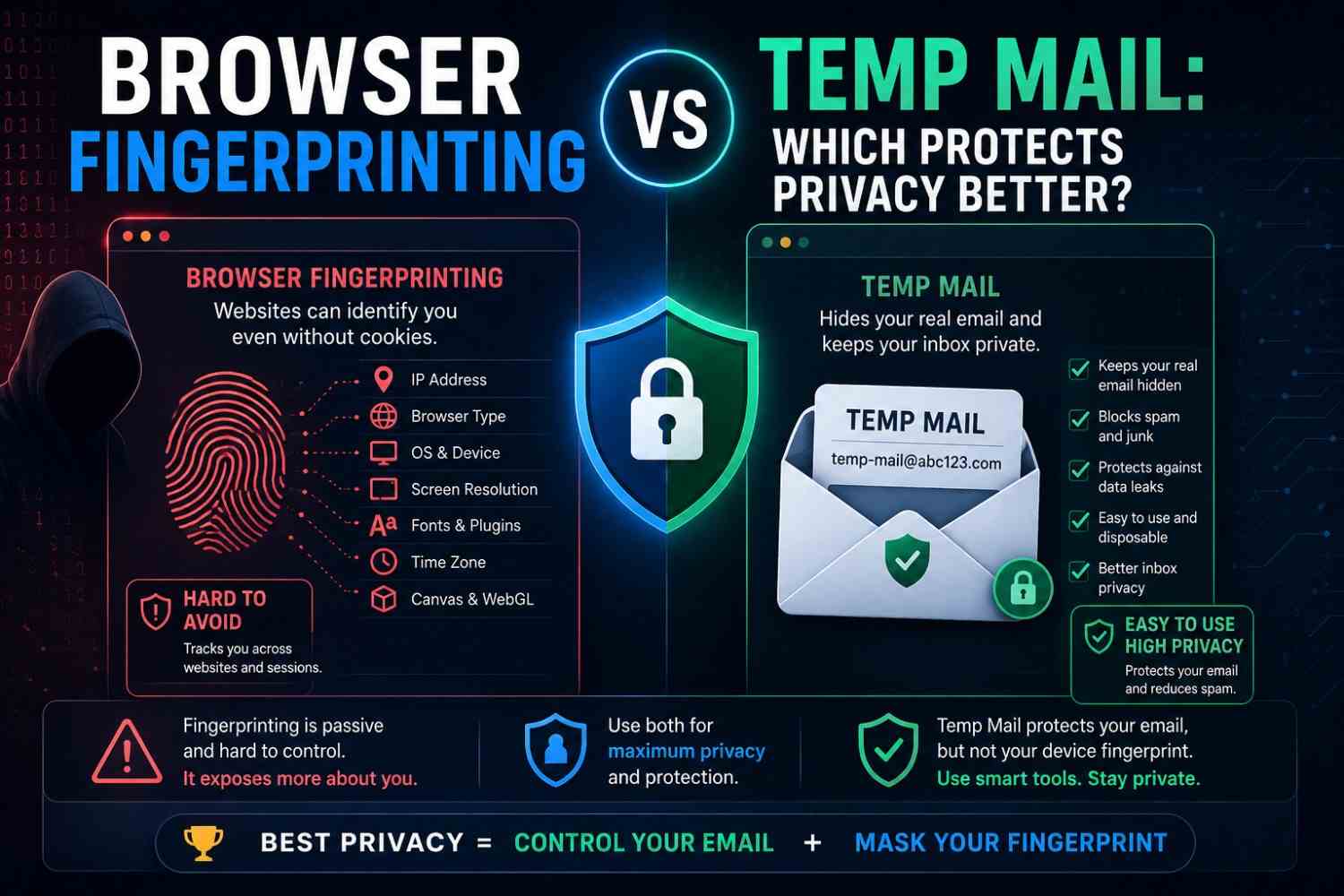
Browser Fingerprinting vs Temp Mail: Which Protects Privacy Better?
Browser Fingerprinting vs Temp Mail: Which Protects Privacy Better?
Quick Answer: Browser fingerprinting vs temp mail address two completely different privacy threats. Fingerprinting identifies your device across sessions without cookies. A free temporary email generator like Tempo Mails protects your real email address from platform data collection instead. Neither replaces the other — they operate on separate tracking layers. Combined, they cover both the network-level and the registration-level components of online identity exposure.
Most privacy tools solve one specific problem. Understanding which problem each tool solves prevents users from relying on the wrong protection in the wrong situation.
Independent academic research into browser fingerprinting has consistently found that the large majority of tested browsers produce a combination of device and configuration signals unique enough to re-identify a user across sessions, even without cookies — one large-scale study measuring over 4 million fingerprints found roughly four out of five were unique. This makes browser fingerprinting one of the most pervasive and least understood online tracking mechanisms in active use.
Main Points
Browser fingerprinting vs temp mail is not a competition; they target separate tracking vectors and work best when used together.
Fingerprinting tracks device identity across sessions without requiring login or cookies.
A temporary email address prevents email-based identity linking, marketing contact, and breach exposure from platform registrations.
Neither tool provides complete anonymous browsing alone; layering both addresses significantly more of the total tracking surface.
What Is Browser Fingerprinting?
Browser fingerprinting identifies a device through data that the browser exposes during a website visit. This includes screen resolution, installed fonts, and browser version. It can also use the operating system, graphics capabilities, timezone, and language settings.
These details combine into a unique identifier that can remain consistent across sessions. Clearing cookies does not necessarily change it. A VPN or browser restart may also leave the fingerprint unchanged. Unlike cookies, fingerprinting requires no storage on the user's device.
The server identifies the device using the characteristics transmitted by the browser. Most users have no way of detecting when it is occurring.
What Temp Mail Protects Against
Temp mail targets a completely different attack surface: the email address submitted during platform registration. A real email address creates a permanent data point when entered on a website. The platform can use it for marketing or share it with third parties. Attackers can also extract it during a breach.
Tempo Mails replaces the real address with a disposable one. The address expires when the session ends. Every subsequent marketing email, phishing attempt, and data broker contact directed at it goes permanently undelivered — you can generate a free disposable email address in seconds without creating an account.
Temp mail does not interact with fingerprinting in any way. A Tempo Mails session has the same fingerprint as any other session on the same device — and it doesn't need to, since it protects a completely different layer of exposure (see how disposable addresses also help during data breach exposure).
Browser Fingerprinting vs Temp Mail: Direct Comparison
| Factor | Browser Fingerprinting | Temp Mail |
| What it tracks | Device identity across sessions | Email address and contact data |
| How tracking occurs | Passive, automatic, server-side | Active, through voluntary data submission |
| User awareness | Rarely detected | Users know they submitted an address |
| Protection method | Privacy browser, randomisation tools | Disposable email session |
| Works without cookies | Yes | Not relevant |
| Protects inbox | No | Yes |
| Prevents cross-site tracking | No — device-level only | No — covers email identity only, not applicable to cross-site tracking |
| Relevant for anonymous browsing | Yes | Partially |
Online Tracking Prevention: What Each Tool Covers
What Fingerprinting Protection Covers
Anti-fingerprinting tools and privacy browsers reduce or randomise the data points websites use to build a device profile. Brave Browser applies fingerprint randomisation by default. Firefox with Enhanced Tracking Protection limits fingerprinting data exposure.
The Tor Browser routes traffic through multiple nodes and standardises browser characteristics to prevent unique identification. These tools reduce the accuracy of cross-session device tracking.
They do not protect the email address submitted during any registration and do not prevent platforms from building a profile around that address.
What Temp Mail Covers
Tempo Mails prevents the real email address from entering platform databases. Once the session ends, the address expires. Marketing emails cannot reach the address. A breach cannot expose it as a usable contact point. Data brokers cannot compile it into a profile. For a deeper look at how this holds up over time, see our guide to temporary email safety.
Temp mail does not affect how the device is identified during browsing sessions. A disposable inbox does nothing to reduce the fingerprint the browser transmits to every website visited during the session.
Which Tracking Threat Is More Common?
For most everyday users, email-based tracking causes more visible, more immediate harm. Spam, phishing, data broker profiles, and marketing saturation are all direct consequences of real email addresses appearing in platform databases. These effects are felt daily.
Fingerprint-based tracking is pervasive, but its effects are less visible, primarily experienced as unusually accurate cross-site ad targeting and persistent re-identification across browsing sessions.
Both matter. The question is not which to address but which to address first given the user's specific exposure profile.
Digital Privacy Tools: The Combined Approach
Browser fingerprinting vs temp mail framing suggests a choice. The correct framing is a layered approach where each tool addresses what the other cannot.
Use a privacy browser or anti-fingerprinting extension for all browsing sessions. This reduces cross-session device tracking and limits the passive data transmitted during every website visit.
Use Tempo Mails for every registration where ongoing email contact is not needed. This removes the real email from platform databases, marketing lists, and breach exposure pools — part of a broader plan to protect your digital footprint before it becomes a liability.
Add a VPN for network-level IP address protection. Add encrypted messaging for sensitive communication. Each tool occupies a distinct layer of the privacy stack; none of them duplicates each other's function.
Anonymous Browsing: How Close Can You Actually Get?
True anonymous browsing requires addressing every tracking layer simultaneously: device fingerprint, IP address, cookies, email identity, and account-linked behavioural data. Tempo Mails addresses the email identity layer completely within its scope.
The Tor Browser or a fingerprint-randomising privacy browser addresses the device identity layer. A VPN addresses the IP layer. Using these three together removes the three most commercially exploited tracking vectors for most everyday users.
What remains is session-level platform tracking — behavioural data collected during an active session that is stored server-side regardless of which tools are used.
Large platforms collect this kind of behavioural data through their own first-party systems, and no combination of email protection, fingerprint blocking, or VPN use can prevent that from the client side.
Independent privacy research consistently finds that most major consumer websites run more than one tracking mechanism at the same time, with device fingerprinting and email-based identification among the most common — a reminder that single-tool privacy approaches leave real exposure gaps, including the identity risks that follow a data breach.
Conclusion
Browser fingerprinting vs temp mail is the wrong frame. They solve different problems. Fingerprinting protection stops cross-session device tracking. Temp mail stops email-based data collection and breach exposure.
Using both together closes two of the three most significant privacy gaps for everyday internet users. Neither works without the other for anyone serious about online tracking prevention. Ready to close the email gap? Generate your free temporary email address now — no signup required.
About the Author
Reviewed by the Tempo Mails Privacy Research Team, writers and analysts who cover digital privacy tools, online tracking prevention, and disposable email compatibility for Tempo Mails. Disclosure: Tempo Mails is a free temporary email provider, and this article discusses our own product alongside independent privacy tools. Content reflects current tracking research and platform behaviour, and is reviewed regularly.
Last Updated: August 2026
FAQs
Does temp mail stop browser fingerprinting?
No. Temp mail addresses email-based tracking only. Browser fingerprinting is a device-level tracking mechanism that requires separate anti-fingerprinting tools to address.
Does a privacy browser replace temp mail?
No. A privacy browser reduces device tracking across sessions. It does not protect the email address submitted during platform registrations from being collected, shared, or breached.
Which tracking method is harder to detect?
Browser fingerprinting. It operates passively without any user action or detectable marker. Email tracking requires an address submission, which users at least choose to make.
Can I achieve anonymous browsing with just Tempo Mails?
No. Tempo Mails covers the email identity layer. Anonymous browsing also requires fingerprint protection. A VPN or Tor Browser can mask the IP address.
Does a VPN prevent browser fingerprinting?
No. A VPN masks the IP address but does not change browser characteristics. The device fingerprint can remain consistent across different IP addresses.
Does Tempo Mails work on privacy browsers like Brave or Firefox?
Yes. Tempo Mails functions in any browser, including privacy-focused ones. Using it within a privacy browser combines email protection and fingerprint protection in the same session.
Which is more important for everyday users — fingerprint protection or temp mail?
Both matter, but email-based tracking causes more immediate visible harm for most users. Start with a temporary email for new signups, then add fingerprint protection for complete coverage.
Do digital privacy tools slow down browsing noticeably?
Privacy browsers and content blockers add minimal processing overhead. Tempo Mails adds no browsing overhead — it's a separate tab open alongside the target website, not a browser modification. For more on safe day-to-day use, see our temporary email privacy guide, or how email tracking pixels quietly monitor your inbox even without fingerprinting.

