
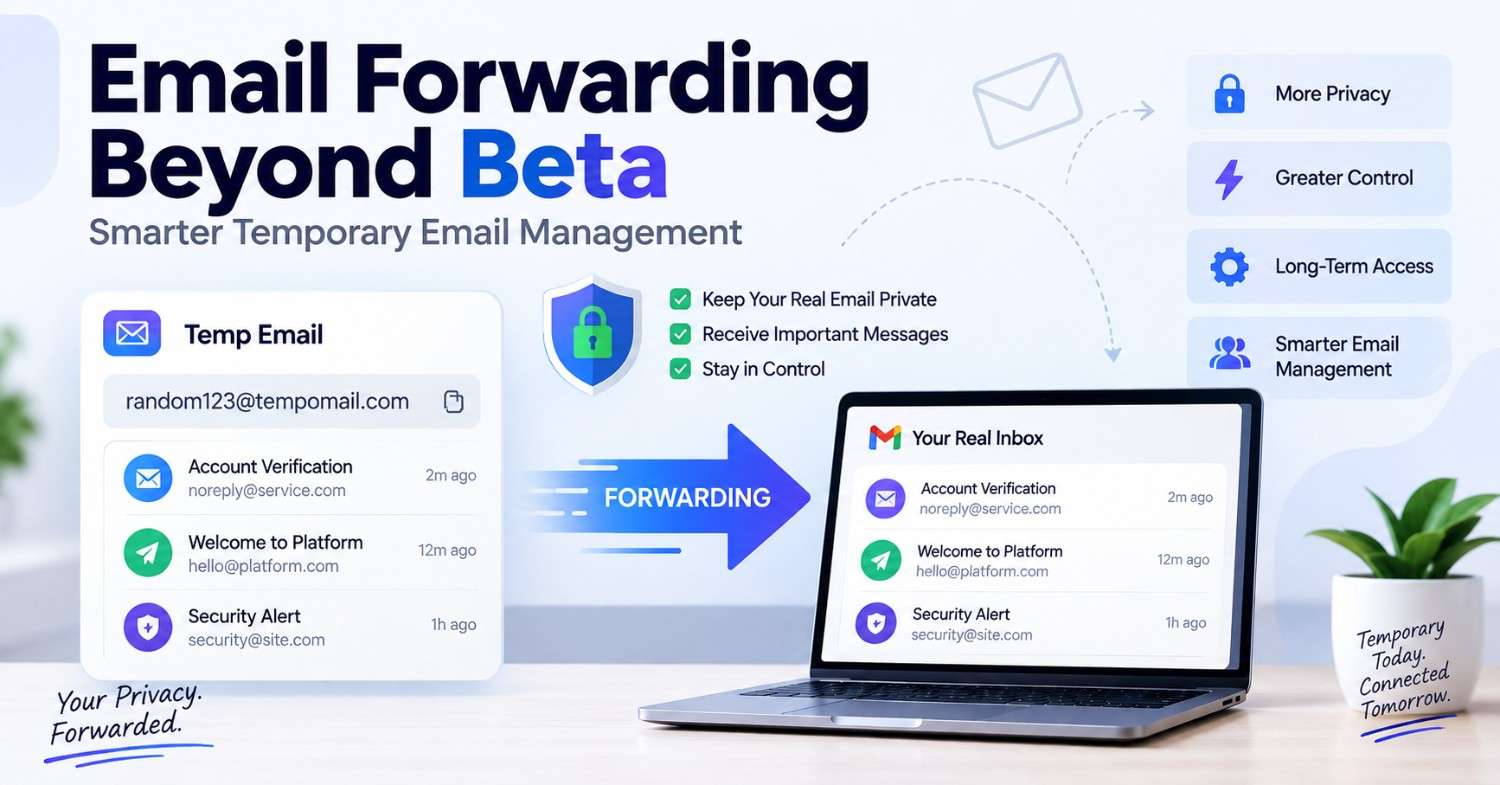
Email Forwarding Beyond Beta: Smarter Temporary Email Management
Email Forwarding Beyond Beta: Smarter Temporary Email Management
Quick Answer: Temporary email forwarding routes messages from a temporary email address to your real email address, so you'll get important emails without giving out your permanent email address to sites that will market to you using it. It gives you the best of both worlds – privacy without compromising accessibility in any way.
The standard disposable inbox is fine for a one-time verification, but not so great for a continuous conversation. Temporary Email forwarding routes messages to a real email address and hides your permanent address. You can try a free temporary email generator yourself before deciding whether forwarding fits your workflow.
With this configuration, users can keep their primary email private while staying connected with their confirmation and other messages, as well as alerts and password reset. A forwarding address does not expire until it is turned off, unlike session-based disposable mail.
This approach offers greater control over incoming messages and helps users balance privacy with reliable access when managing accounts, subscriptions, services, and digital activities that require continued email communication.
Main Points
- Temporary email forwarding lets you receive disposable-address messages without opening a separate inbox.
- A forwarding email address gives platforms a contactable address while keeping your real identity private.
- Disposable mail routing is the smarter middle ground between full privacy and long-term account access.
- Email forwarding services remain active by design. Session-based disposable inboxes expire when the tab closes.
What Is Temporary Email Forwarding and How Does It Work?
Temporary email forwarding is a service of assigning a disposable email address to forward all incoming emails to a real email address. The sender doesn't see the forwarding address. Messages reach the actual inbox without revealing the permanent email. The forwarding alias itself is generated the same way as any disposable email address, the only difference is what happens to messages after they land. For a closer look at how an instant disposable inbox behaves during a single session, see our guide on accessing your temporary mailbox.
This differs from a standard session-based disposable inbox in one important way. The address will not be deleted when you close the Tab. The email forwarding alias is always active until you disable or delete it. Messages sent to that address reach your real inbox automatically.
The practical effect is a persistent privacy layer. Platforms collect the forwarding address and use it normally. They can send confirmations, updates, and notifications to it. Those messages reach the real inbox without revealing the address behind the forwarding rule.
Session-Based Temp Mail vs Email Forwarding: Key Differences
Knowing the difference will help you decide which one would work in a particular situation.
- Session-based disposable email (such as Tempomail) creates an address that is only available while the browser session is in progress. Nothing persists. This model prioritizes maximum privacy for one-off verifications and short-term access. That's also why nothing can be pulled back afterward — see our breakdown of temp mail history and recovery for what's actually recoverable once a session ends.
- Email forwarding services (like SimpleLogin, Apple Hide My Email, or Addy.io) generate a persistent address that forwards messages to the real inbox indefinitely. The forwarding address can be disabled individually at any time. This model prioritizes ongoing access alongside privacy.
Feature | Session Disposable | Forwarding Address |
Duration | Session only | Permanent until disabled |
Inbox access | Separate temp inbox | Delivered to real inbox |
Account recovery support | No | Yes |
Marketing prevention | Complete | Controllable per alias |
Setup required | None | Minimal |
Cost | Free | Free tier available |
Why Disposable Mail Routing Solves a Problem Session Inboxes Cannot
A standard disposable inbox works perfectly for single verification steps. Where it falls short is any scenario involving ongoing communication.
Consider these situations: a platform sends a password reset link three days after initial registration. Service transmits a two-factor authentication code for login on a new device. A confirmation from an employer is received 48 hours after an application is made.
In each case, a session-based inbox is long gone. A forwarding email address handles all three without issue because the address remains active and the messages arrive in the real inbox automatically.
Disposable mail routing also solves the unsubscribe problem. Rather than unsubscribing from a marketing campaign, disable the forwarding alias. Unsubscribing can confirm that the address remains active and trigger further outreach. Disabling the alias stops delivery immediately. The alias simply stops forwarding. It's one more tool alongside the usual advice on blocking junk emails for good.
How Tempomail Supports Forwarding Workflows
Tempomail is a session-based service designed for instant, private verification tasks. For users who need forwarding capability, the right workflow combines both tools:
Use Tempomail for the initial platform sign-up and verification step, then update the registered email to a forwarding alias before closing the session. The platform interacts with the alias going forward. Messages arrive at the real inbox via the email forwarding services. The real address is never exposed at any stage.
This combination gives full control: Tempomail handles the moment of sign-up with zero data exposure, and the forwarding alias takes over for any ongoing communication that matters.
Visit Tempomails to generate a disposable email address for the session-based step, and pair it with a forwarding service for situations that require address persistence.
Choosing the Right Email Forwarding Service
Several email forwarding services offer free tiers for personal use. Compare alias limits and custom domain support. Also check whether the service logs message content. If the goal is simply to keep the sign-up moment itself private, a temporary email tool covers that step on its own, no forwarding needed.
- SimpleLogin is open-source and privacy-focused. It offers free and paid tiers and supports custom domains. The service also does not read message content.
- Addy.io (formerly AnonAddy) — similarly open-source with a generous free tier. Supports recipient management and detailed forwarding statistics. Good for users who want visibility into how each alias is being used.
- Apple Hide My Email — available to iCloud+ subscribers. Tightly integrated into Safari and Apple Mail on iOS and macOS. Limited to Apple devices but extremely easy to use within that ecosystem.
- Firefox Relay — free tier allows up to five aliases. Integrates directly with the Firefox browser for one-click alias generation during sign-ups. Simple and low-friction for Firefox users.
All four qualify as legitimate mail forwarding solutions for personal inbox security. The choice depends primarily on which ecosystem and devices the user works within.
Best Use Cases for Forwarding Email Addresses
Email forwarding aliases work well when you need both privacy and ongoing access.
- Online shopping accounts — retail platforms send order confirmations, shipping updates, and return notifications. A forwarding alias delivers all of these to the real inbox while keeping the permanent address off retail marketing lists.
- Job applications — career platforms and recruiters contact candidates via the registered address. A forwarding alias ensures those messages arrive reliably while the real address stays off job board marketing systems.
- Platform trials that convert to paid subscriptions — start the trial with a session-based temp inbox via Tempomail, then switch to a forwarding alias if the platform proves valuable before the trial ends. This is the same pattern that works for temp mail options for Gmail and secondary accounts, where you want privacy at signup without losing access later. Start with a free temp mail service for the trial itself.
- Software licensing and developer accounts — licence keys, API credentials, and security alerts are all delivered via email. A forwarding alias handles these reliably without exposing a personal address to developer platform databases.
FAQs
1. What is the difference between a disposable inbox and a forwarding email address?
A disposable inbox expires at session end with no forwarding. A forwarding address is permanent and routes messages to your real inbox until you disable it.
2. Can I use a forwarding address for account recovery?
Yes. Forwarding addresses remain accessible as long as they are active, making them suitable for password resets and security alerts, unlike session-based temp inboxes.
3. Does the sender know messages are being forwarded?
No. The sender sees only the forwarding alias. The real inbox address is never visible at any point in the delivery chain.
4. Is disposable mail routing legal?
Yes. Registration via a forwarding or disposable address is allowed in most jurisdictions and fits into data minimization requirements of the General Data Protection Regulation (GDPR) and other data protection laws. For a fuller breakdown, see how GDPR applies to temp mail.
5. Can I stop a specific platform from reaching me without unsubscribing?
Yes. Disable the specific forwarding alias assigned to that platform. All future messages to that address stop delivering immediately with no unsubscribe interaction required.
6. Which forwarding service works best with Tempomail?
SimpleLogin and Addy.io work well alongside Tempomail. Use Tempomail for the initial verification, then update the account email to a SimpleLogin or Addy.io alias for ongoing forwarding.
7. Do email forwarding services read my messages?
Privacy-focused services like SimpleLogin and Addy.io explicitly do not read message content. Always review the privacy policy of any forwarding service before use.
8. Is there a free option for email forwarding?
Yes. SimpleLogin, Addy.io, and Firefox Relay all offer free tiers with enough aliases for personal use. Apple Hide My Email is free with any iCloud+ subscription.
Conclusion
Temporary email forwarding fills the gap that session-based disposable inboxes cannot cover. It provides persistent privacy when ongoing communication matters. You can also disable an address instantly without unsubscribing, contacting support, or changing platform settings.
Combined with a session-based service for the initial sign-up moment, forwarding gives complete control over which platforms can ever reach your real inbox.
Author Expertise
Written and reviewed by Sarah Whitfield, part of the Tempomails editorial team, who research disposable email tools, forwarding architectures, and inbox privacy solutions across major platforms. Last Reviewed: August 27, 2026. Visit our disposable email tools and guides.

